
There is no universal employee-count requirement for managed IT services. A business with four employees may need structured support if every client appointment depends on a shared system. Another business with twenty people may have simpler technology. The useful question is not “Are we big enough?” but “What happens when our technology stops working, and who is accountable for fixing it?”
Short answer: Consider managed IT when technology interruptions, security responsibilities, or support requests are too important to leave to ad hoc troubleshooting, regardless of headcount.
Is There a Minimum Number of Employees for Managed IT?
No. Managed IT is a service model, not a staffing threshold. A provider typically takes responsibility for agreed areas such as device support, maintenance, account administration, and technology planning. Exact scope, response commitments, and exclusions should be written into the agreement. Small organizations can use a narrower scope; larger ones may need more coverage.
Headcount helps estimate the number of devices, user accounts, and support requests. It is not a reliable stand-in for operational risk. A five-person accounting practice handling tax-season deadlines may have a more urgent support need than a fifteen-person company using basic email and a few cloud applications.
What Matters More Than Employee Count?
How much does downtime interrupt your work?
Consider the work that cannot continue without email, internet access, a line-of-business application, or shared files. An Atlanta law office may be unable to retrieve a document before a deadline. A real estate team may lose access to its transaction platform while clients wait. If the impact is immediate, the business needs an identified support process.
Who currently owns everyday IT problems?
If the office manager, founder, or most technically confident employee handles password resets, laptop purchases, printer issues, and vendor calls, the company already has an IT function. It may simply be undocumented. Ask how much time that person loses and whether someone else can take over during an absence.
How many systems and locations need attention?
Five employees using laptops, mobile devices, cloud storage, a phone system, and specialized software can create more support complexity than their headcount suggests. Multiple offices, hybrid schedules, contractors, and shared devices add coordination needs. Count the technology that must work, not just the people on payroll.
Who manages security and recovery?
A business should know who handles updates, access removal, backups, suspicious messages, and lost devices. Cybersecurity support should be evaluated as defined responsibilities, not assumed to be included in every IT plan. The NIST Cybersecurity Framework 2.0 Small Business Quick-Start Guide offers a starting point for identifying and managing security responsibilities. It does not prescribe a minimum employee count.
Does a Five-Person Business Need Managed IT?
Possibly. Imagine a five-person Atlanta consulting firm where everyone works from a laptop, shares confidential proposals, and meets clients by video. One failed device can affect a significant portion of the team. If nobody has a tested recovery process, established device setup, or dependable person to call, even a small support arrangement may be worthwhile.
On the other hand, a five-person operation with straightforward tools, a capable internal owner, and responsive existing support may not need a broad managed package. The decision should follow a review of gaps, not a sales pitch based on a headcount cutoff.
What About a Business With 10, 25, or 50 Employees?
As headcount rises, onboarding, access changes, software licenses, equipment replacements, and support coordination often become more frequent. But the right service model depends on actual workload and internal IT capacity. These are illustrative scenarios, not required milestones.
| Business situation | Key question | Possible next step |
|---|---|---|
| 10 employees, one office, no IT employee | Who handles tickets, updates, and backups when the owner is away? | Compare a defined managed support plan with ad hoc help. |
| 25 employees, hybrid schedules | Are onboarding, permissions, and devices consistent? | Review support coverage and routine maintenance. |
| 50 employees, an internal IT generalist | Which tasks overwhelm the internal role? | Consider clearly assigned shared responsibilities. |
For a firm with internal IT, the relevant discussion may be about supplementing capacity rather than replacing anyone. Identify who approves changes, who responds to incidents, and who owns each system.
When Is Break-Fix Support No Longer Enough?
Break-fix support addresses problems when they occur. It can suit a low-complexity organization that tolerates occasional interruptions and owns its routine maintenance. It becomes less comfortable when issues repeat, nobody tracks device health, or support depends on whoever is available.
- Employees regularly wait for someone to troubleshoot access or equipment.
- The same laptop, network, or software issue keeps returning.
- New hires receive inconsistent accounts, permissions, or devices.
- Nobody can confirm when a backup was last restored successfully.
- IT purchases happen only after failures or urgent requests.
- Leadership cannot identify the owner of each critical system.
One sign alone does not prove a managed contract is necessary. Several signs together justify comparing the cost of interruptions and internal time with a documented service proposal.
How Should a Small Business Evaluate the Cost?
Avoid comparing a monthly managed IT quote only with the last repair invoice. Include employee time spent troubleshooting, unplanned purchases, recurring support requests, and the business impact of interruptions. Also include what the proposed agreement does not cover.
Ask for a written breakdown of supported users and devices, helpdesk hours, onboarding fees, monitoring, maintenance, security responsibilities, backups, projects, and vendor coordination. Some services may be separate or optional. Confirm what triggers additional charges and how requests are prioritized.
The Managed IT Services overview is useful background when preparing questions. The goal is not the largest package; it is a service scope matched to the way your business operates.
A Seven-Question Managed IT Readiness Checklist
Use these questions with the owner, operations lead, and anyone currently handling IT. Mark each answer yes, no, or unknown. An unknown answer is often a documentation task before it is a purchasing decision.
- Can employees get help through a reliable, documented support channel?
- Is someone clearly responsible for updates and device maintenance?
- Can you quickly remove access when an employee or contractor leaves?
- Do you know which systems are essential to daily operations?
- Are backups appropriate for those systems, and has recovery been tested?
- Are recurring technology problems recorded and reviewed?
- Can leadership explain expected IT spending and exclusions?
If several answers are no or unknown, request a focused assessment. Ask the provider to separate urgent gaps from improvements that can be scheduled later. You do not need a precise employee threshold to start the conversation.
What Should You Ask a Managed IT Provider?
- Coverage: Which users, locations, devices, applications, and hours are included?
- Ownership: Who handles cloud accounts, vendor escalations, and permissions?
- Security: Which protections and response activities are included or excluded?
- Continuity: Who monitors backups and tests restoration?
- Reporting: How will unresolved issues and recurring problems be tracked?
- Transition: What documentation and access will we retain if we change providers?
Ask how requests are categorized and escalated without assuming a specific response time. The agreement should make sense to a business owner, not only an IT specialist.
Frequently Asked Questions
Can a business with only three employees use managed IT?
Yes. A small team can use managed IT if the provider offers an appropriate scope and the business depends on reliable systems. Compare that service with the cost of handling issues internally.
Is managed IT only for businesses without an IT employee?
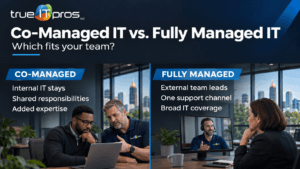
No. Some businesses use external support alongside internal staff. The key is defining which tasks belong to each party.
Does adding employees automatically mean we need managed IT?
No. Hiring adds accounts and devices, but complexity, downtime impact, and current support capacity are stronger decision factors.
Should we wait for a major outage before choosing a provider?
No. Reviewing ownership, backups, and recurring issues before an outage gives you time to compare options and plan a transition.
Will managed IT include every cybersecurity service?
Not necessarily. Services vary by contract. Request an itemized scope and clarify how incidents, account protection, and backups are handled.
Make the Decision Based on Responsibility, Not a Number
For Atlanta small businesses, the right time to evaluate managed IT is when technology matters enough that unclear ownership creates business risk. Start with disruptive problems, identify what your team can handle, and ask providers to explain exactly what they would take responsibility for.
Related content: Why Email Security Matters for Atlanta SMBs and What Is a Managed IT Service Provider (MSP), and How Can It Help Your Business?.
To learn more about how trueITpros can help your company with Managed IT Services in Atlanta, contact us at www.trueitpros.com/contact