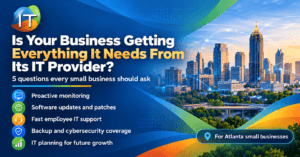
Feeling Like the Accidental IT Manager?
If you’re a small business owner in Atlanta juggling sales, operations — and now printers and email issues — you’re not alone. Many SMBs don’t have in-house IT staff. When something breaks, you become the tech support.
But here’s the good news: you don’t need to be a tech expert to keep your business running smoothly. With a few smart strategies and a reliable IT partner, you can avoid major disruptions and protect your data — without losing your mind.
Why Are So Many Owners Acting as Their Own IT?
Because when budgets are tight, it feels “easier” to Google fixes, reset routers, or troubleshoot emails solo. But these quick fixes can lead to:
- Recurring downtime
- Security risks
- Loss of productivity
- Missed growth opportunities
IT isn’t just about fixing things — it’s about making your tech work for your business.
What to Focus On First: A Non-Tech Owner’s IT Checklist
If you’re managing your own IT, focus on these basic (but critical) areas:
1. Backups
- Use automated, cloud-based backups for critical files.
- Test your restore process regularly.
2. Updates
- Keep software, operating systems, and antivirus tools updated.
- Schedule these outside business hours if possible.
3. Passwords
- Use a password manager.
- Enable multi-factor authentication (MFA) on all accounts.
4. Wi-Fi Security
- Change default router passwords.
- Use business-grade equipment — not the cheapest option from a retail store.
5. Email Protection
- Use spam filters and phishing protection.
- Train your team to spot suspicious messages.
Know When to Call for Help
You don’t have to solve everything alone. Here are signs it’s time to bring in a
managed IT provider:
- You’re spending more than 30 minutes per day on IT issues.
- Employees are constantly interrupted by tech problems.
- You’re unsure if your business data is actually secure.
- You’ve been hit by malware, phishing, or a data breach.
- You’re preparing for compliance requirements (HIPAA, PCI, etc.).
Outsourcing your IT doesn’t mean giving up control — it means getting real expertise and focusing on growing your business, not rebooting systems.
IT Tasks You Can Delegate Immediately
A managed IT provider can take care of:
- 24/7 monitoring and help desk support
- Cloud setup and management
- Hardware and software lifecycle management
- Cybersecurity protections
- Compliance readiness
- Employee onboarding/offboarding IT setup
And yes, they’ll handle that “printer won’t connect to Wi-Fi” problem too.
Business owners managing IT should focus on backups, security updates, password hygiene, and email protection — and consider outsourcing complex tasks to a Managed IT provider to avoid data loss, downtime, and security risks.
Bonus: Tech Terms You Should Know (In Plain English)
| Term | What It Means |
|---|---|
| Firewall | A digital wall that blocks bad internet traffic. |
| Phishing | Fake emails trying to steal passwords or info. |
| Cloud Backup | Your files saved online — safe from computer crashes. |
| MFA (Multi-Factor Authentication) | A login that asks for more than just a password. |
| Patch | A fix released by software makers to repair bugs or security flaws. |
Let Us Take IT Off Your Plate
If you’re tired of wasting time on tech problems or worried about security, we can help. Our Atlanta-based team specializes in
Managed IT Services for small businesses just like yours.
From fast help desk support to full cybersecurity solutions — we’ve got your back.
To learn more about how trueITpros can help your company with Managed IT Services in Atlanta,
contact us at www.trueitpros.com/contact