Windows Patch Management for Atlanta Businesses
Windows patch management is the process of identifying, testing, installing, and confirming software updates across a company’s computers. A structured patching process helps reduce security gaps while keeping employee devices stable and productive.
For an Atlanta business, patching should involve more than asking employees to click “Update” when a message appears. Updates must be tracked across laptops, desktops, servers, browsers, Microsoft applications, and other business software.
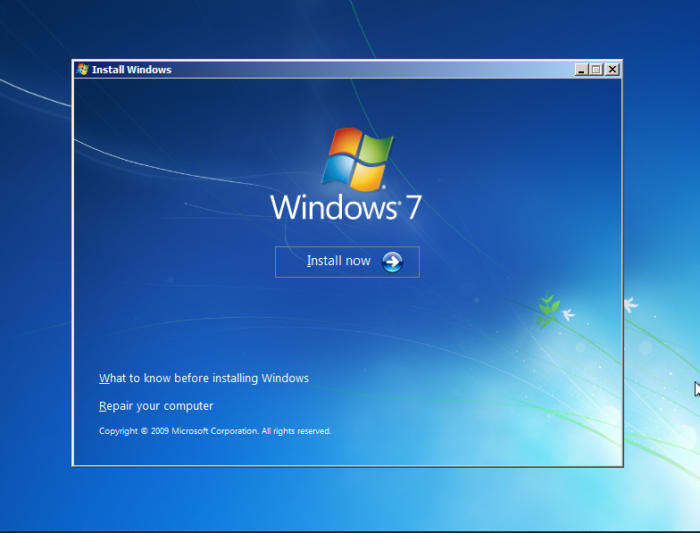
Professional patch management also helps identify devices that are too old to receive updates. This is especially important for companies that still have Windows 7 computers connected to their network.
Windows patch management helps a business keep supported devices updated, verify that security fixes were installed, and address failed updates before they create larger security or productivity problems.
Can Businesses Still Receive Windows 7 Updates?
Standard Windows 7 security updates are no longer available. Microsoft ended regular support for Windows 7 on January 14, 2020. The final Windows 7 Extended Security Update period ended on January 10, 2023.
Microsoft provides additional lifecycle information on its Windows 7 lifecycle page.
A Windows 7 computer may still turn on and run older applications. However, it does not receive the normal security fixes available for a supported operating system. Antivirus software alone does not correct vulnerabilities inside the operating system.
Businesses that find Windows 7 devices should treat them as a technology planning issue, not as a routine update problem. The right next step may include upgrading the operating system, replacing the computer, isolating a legacy device, or replacing an application that depends on outdated software.
Why old Windows devices remain inside businesses
Unsupported devices often remain in use because they operate a specific machine, accounting tool, estimating application, diagnostic system, or line-of-business program.
For example, an Atlanta manufacturing company may have an older workstation connected to production equipment. An automotive business may rely on outdated diagnostic software. A law firm may keep an old computer because it contains archived client files or a legacy document application.
Replacing these devices may require planning. Ignoring them, however, leaves the business without a clear way to address newly discovered operating system vulnerabilities.
What Is a Computer Patch?
A computer patch is a software update that corrects security flaws, fixes functional problems, or improves the reliability of an operating system or application.
Patches can apply to Windows, Microsoft 365 applications, browsers, accounting tools, business applications, device drivers, server software, and many other systems.
The National Institute of Standards and Technology defines an update as a patch, upgrade, or other code modification that corrects security or functionality problems. Businesses can review the definition in the NIST cybersecurity glossary.
A patch may solve one specific problem or include many fixes in a larger cumulative update. Some updates also require a restart before the protection becomes active.
What business systems may need patches?
- Windows laptops, desktops, and servers
- Microsoft Office and Microsoft 365 applications
- Web browsers and browser extensions
- Accounting and financial software
- PDF readers and document tools
- Remote access applications
- Industry-specific business applications
- Network devices, firewalls, and related firmware
- Backup, security, and monitoring tools
Why Are Security Patches Needed?
Security patches correct known software weaknesses that could be used to access a device, increase account privileges, install malicious software, or interfere with business data.
Once a vulnerability becomes public, attackers may study the available technical information and search for devices that have not been updated. Installing the appropriate patch can close the specific weakness addressed by the software vendor.
The Cybersecurity and Infrastructure Security Agency recommends that businesses prioritize actively exploited vulnerabilities, enable automatic updates when appropriate, and avoid unsupported end-of-life software. Additional guidance is available through CISA’s business software update guidance.
A historical example from the Windows 7 era
A useful example occurred during Microsoft’s May 2018 security update cycle. That release addressed 67 vulnerabilities across Microsoft products. Two widely discussed vulnerabilities were CVE-2018-8174 and CVE-2018-8120.
Double Kill, CVE-2018-8174
CVE-2018-8174, commonly called Double Kill, was a remote code execution vulnerability in the Windows VBScript engine. It affected several Windows versions, including Windows 7. Successful exploitation could allow malicious code to run with the rights of the current user.
Win32k, CVE-2018-8120
CVE-2018-8120 was an elevation-of-privilege vulnerability involving the Windows Win32k component. An attacker who already had limited access to a vulnerable system could potentially gain higher privileges, install programs, change data, or create accounts with broader rights.
These older vulnerabilities show why patching matters. They also show why an unsupported operating system creates a long-term problem. A supported system receives vendor fixes for newly identified issues. An unsupported system generally does not.
Why Installing Updates Is Not Always Simple
An update can fail because of network problems, limited storage, damaged system files, pending restarts, application conflicts, missing prerequisites, or an incorrect device configuration.
The employee may believe the computer is protected because an update started. In reality, the installation may have failed or remained pending for weeks.
This is why a business patching process must confirm results. Sending an update command is not the same as verifying that the update was installed successfully.
Common causes of failed Windows updates
- The device was turned off during the maintenance window
- The employee postponed the required restart
- The computer did not have enough free storage
- The device was not connected to the internet or company network
- A previous update failed and blocked later updates
- A business application conflicted with the update
- The operating system had reached the end of support
Reactive Updates vs. Managed Patch Management
Reactive patching depends on employees noticing update messages and completing each installation. Managed patching uses centralized tools, policies, monitoring, and follow-up to maintain a more consistent process.
| Reactive Patching | Managed Patch Management |
|---|---|
| Employees decide when to update | Updates follow a defined schedule |
| Failed updates may go unnoticed | Installation results are monitored |
| Old devices remain difficult to identify | Device inventories identify outdated systems |
| Updates may interrupt work without warning | Maintenance windows help reduce disruption |
| Problems are handled after users complain | IT teams review failures and follow up |
What Should a Business Patch Management Process Include?
A reliable process should identify company devices, review available updates, prioritize security risks, deploy patches, manage restarts, and verify the final installation status.
- Maintain a device inventory. The business should know which computers, servers, operating systems, and applications are in use.
- Identify unsupported systems. Devices running outdated software should be upgraded, replaced, isolated, or included in a documented migration plan.
- Review update risk. Security updates that address actively exploited vulnerabilities may require faster action than routine feature updates.
- Test important updates. Companies with specialized applications may need to confirm compatibility before a broad deployment.
- Schedule installation and restarts. Updates should be installed during a period that limits disruption to employees and customers.
- Verify completion. Failed, pending, and missed updates should be reviewed and corrected.
- Document exceptions. Any system that cannot be updated should have a clear business reason, responsible owner, risk-reduction plan, and replacement timeline.
How trueITpros Helps Manage Business Updates
trueITpros helps Atlanta businesses create a more consistent update process through endpoint management, software update maintenance, infrastructure monitoring, employee support, and technology planning.
Through proactive managed IT, devices can be monitored instead of relying only on individual employees to install updates correctly.
Patch management may include:
- Monitoring Windows laptops, desktops, and workstations
- Deploying software updates and security patches
- Identifying failed or missing updates
- Supporting employees after update-related problems
- Reviewing unsupported operating systems and applications
- Planning device upgrades and replacements
- Coordinating patching with backup and business continuity processes
- Connecting patch management with broader Cybersecurity controls
When Should an Atlanta Business Contact an IT Provider?
A business should contact an IT provider when it cannot confirm which devices are updated, still depends on unsupported software, experiences repeated update failures, or lacks a documented maintenance process.
Warning signs include:
- Employees regularly postpone updates
- Computers restart without a planned maintenance window
- No one reviews failed update reports
- The company does not have a current device inventory
- Windows 7 or other unsupported systems remain on the network
- Critical applications prevent normal updates
- The business cannot confirm whether security fixes were installed
An IT provider can review the environment, identify outdated systems, investigate network or installation errors, and develop a practical update schedule based on the company’s users, applications, working hours, and risk profile.
Frequently Asked Questions
What is Windows patch management?
Windows patch management is the organized process of finding, testing, installing, and verifying Windows updates across business devices. It also includes reviewing failed updates and identifying unsupported computers.
Can I continue using Windows 7 for my business?
A Windows 7 computer may continue to operate, but standard Microsoft security support has ended. A business should assess why the device is still needed and create a plan to upgrade, replace, or isolate it.
Why do Windows updates fail?
Updates can fail because of storage limits, damaged files, missing prerequisites, network problems, application conflicts, or pending restarts. An IT provider can review the error and confirm whether the device is fully updated.
Should every Windows update be installed immediately?
Security updates should be reviewed and prioritized based on risk. Businesses with specialized applications may need testing before broad deployment, especially when an update could affect a critical workflow.
Can managed IT services handle software updates?
Yes. Managed IT services can monitor devices, deploy approved updates, track installation results, investigate failures, and help plan upgrades for systems that no longer receive vendor support.
Build a More Reliable Patch Management Process
Software patches help correct known security and performance problems, but the process must be managed carefully. Businesses need to know which devices they have, which updates are missing, which installations failed, and which systems are no longer supported.
trueITpros can help evaluate outdated Windows devices, resolve update errors, monitor employee computers, and build a patching process that supports security, productivity, and long-term technology planning.
To learn more about how trueITpros can help your company with Managed IT Services in Atlanta, contact us at www.trueitpros.com/contact