Outsourced IT Support in Atlanta: When Does It Make Sense?
Outsourced IT support in Atlanta makes sense when a business needs reliable technology support but does not have the resources, time, or workload to maintain a complete internal IT department. For many small and medium-sized businesses, outsourcing provides access to technical expertise, ongoing maintenance, employee support, and security management without hiring multiple full-time IT specialists.
The decision is not always about saving money. It is also about how quickly employees receive help, who takes responsibility for preventing problems, and whether the business has a clear plan when critical systems stop working.
For Atlanta law firms, accounting practices, construction companies, real estate offices, and other growing businesses, the right support model depends on company size, daily technology needs, security concerns, and future plans. Here is how to decide whether outsourcing is the right move.
What Is Outsourced IT Support?
Outsourced IT support means hiring an external technology provider to manage some or all of a company’s IT needs, including technical support, system maintenance, network management, cybersecurity, and technology planning.
Instead of relying entirely on internal employees, a business works with a dedicated IT service provider. That provider may handle everyday support requests, maintain equipment, monitor systems, and help plan technology improvements.
Outsourcing can take several forms. Some businesses use an external provider only when something breaks. Others choose ongoing managed IT services that combine support with preventive maintenance, monitoring, and long-term planning.
What Tasks Can an Outsourced IT Provider Handle?
The exact services depend on the provider and the business agreement. Common responsibilities include:
- Helpdesk support: Helping employees resolve computer, email, software, and access problems.
- Device management: Maintaining business computers, laptops, and workstations.
- Network support: Managing office connectivity, wireless networks, and related infrastructure.
- Security maintenance: Supporting antivirus protection, software patches, access controls, and security tools.
- Cloud administration: Supporting Microsoft 365, Google Workspace, and other business applications.
- Business continuity: Helping businesses prepare for outages, data loss, and service interruptions.
- Technology planning: Advising on equipment replacement, software investments, and future IT needs.
The main difference is accountability. A structured outsourced IT relationship should establish who handles each responsibility, how support requests are prioritized, and how problems are escalated.
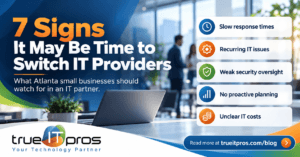
7 Signs Your Atlanta Business May Need Outsourced IT Support
Outsourcing becomes worth considering when technology problems begin affecting employee productivity, security, or business operations. These seven signs can help identify whether the current support model is still working.
1. Employees Regularly Lose Time to IT Problems
If employees spend part of their workday troubleshooting computers, resetting access, fixing printers, or contacting software vendors, the business may be using valuable staff time for tasks outside their responsibilities.
Consider an Atlanta accounting firm during tax season. If employees cannot access shared documents or accounting software, even a short interruption can delay client work and increase pressure on the team.
An outsourced helpdesk gives employees a defined place to request assistance instead of depending on whichever coworker happens to know the most about computers.
2. One Employee Handles IT Alongside Another Job
Many smaller companies assign technology responsibilities to an office manager, operations employee, or technically skilled team member.
This may work when the business has only a few devices and simple technology needs. Problems arise when that person becomes responsible for user accounts, software licenses, security settings, equipment purchases, and technical troubleshooting without dedicated training or time.
Outsourced IT support can remove these responsibilities from employees who should be focused on their primary jobs.
3. The Business Is Growing Faster Than Its IT Setup
Adding employees, opening offices, or expanding remote work creates new technology responsibilities. Every new employee may need a computer, email account, software access, security settings, and technical onboarding.
For example, a growing Atlanta real estate company may need to support agents working from different locations while maintaining secure access to shared documents and business applications.
A structured IT provider can help standardize onboarding, device setup, account permissions, and ongoing support as the company expands.
4. IT Problems Are Only Addressed After Something Breaks
Reactive IT support focuses on restoring service after an issue occurs. It can be appropriate for simple environments, but it may leave important maintenance tasks without a clear owner.
Common gaps include missed software updates, aging equipment, poorly documented network settings, and backup systems that have not been tested.
A proactive support model adds scheduled maintenance, monitoring, and regular reviews. The goal is to identify avoidable problems before they interrupt business operations.
5. Security Responsibilities Are Unclear
A business may use antivirus software and multifactor authentication but still lack clear responsibility for reviewing alerts, removing former employees’ access, applying patches, or responding to suspicious activity.
For Atlanta law firms, financial services companies, and insurance agencies, technology problems may involve sensitive client information and important business records.
An IT provider can help maintain technical safeguards and clarify operational responsibilities. However, outsourcing does not automatically satisfy legal, regulatory, or industry-specific requirements.
Businesses should also review their Cybersecurity needs separately, including identity protection, employee awareness, backup security, and incident response.
6. Technology Expenses Are Difficult to Predict
A business that pays for IT only when problems occur may face unpredictable repair bills, emergency labor charges, and unplanned equipment replacements.
Some outsourced IT agreements use recurring monthly fees for a defined set of services. This can make routine support expenses easier to plan, although projects, hardware, licenses, and out-of-scope work may cost extra.
The right comparison is total cost and service coverage, not simply the monthly price.
7. No One Is Planning Future Technology Needs
Businesses often replace computers only when they fail or purchase software without reviewing whether it works with existing systems.
An outsourced provider offering strategic IT guidance can help establish equipment replacement schedules, review software costs, plan office expansions, and identify technology risks before major business changes.
Outsourced IT vs. In-House IT vs. Break-Fix Support
There is no single support model that fits every Atlanta business. The right choice depends on the complexity of the IT environment, the amount of support employees need, and the company’s ability to manage technology internally.
| Factor | Outsourced Managed IT | In-House IT | Break-Fix IT |
|---|---|---|---|
| Cost structure | Usually recurring service fees | Salary, benefits, training, and tools | Charges for individual service requests |
| Support approach | Ongoing and proactive, based on agreement | Determined by internal staffing and priorities | Primarily reactive |
| Technical expertise | Access to a provider’s technical team | Depends on employees hired | Depends on technician and service request |
| Monitoring and maintenance | Typically included within defined scope | Managed by internal team | Often separate or not included |
| Best fit | Businesses needing ongoing support without building a full IT team | Organizations needing dedicated internal control and availability | Simple environments with occasional support needs |
A fourth option is co-managed IT. Under this arrangement, an internal IT employee or team continues to oversee technology while an external provider supplies additional expertise, monitoring, helpdesk coverage, or project support.
When Does Outsourcing IT Make Financial Sense?
Outsourcing IT makes financial sense when the cost of external support provides better value than the business’s current combination of staffing, repairs, downtime, maintenance, and technology management.
A small business may not have enough daily IT work to justify several full-time technical employees. However, it may still need expertise in networking, cloud administration, endpoint security, backups, and employee support.
Hiring one IT generalist does not necessarily cover every specialty. An outsourced provider may offer access to a broader team, although the exact expertise and availability should be confirmed before signing an agreement.
What Costs Should a Small Business Compare?
- Current IT labor, contractor fees, and emergency support costs.
- Employee hours lost to recurring technical issues.
- Monitoring, security, backup, and management software costs.
- Hardware replacement and equipment maintenance expenses.
- Monthly outsourced support fees and onboarding charges.
- Additional costs for projects, after-hours support, and excluded services.
For example, if five employees each lose 30 minutes per week to recurring technology issues, that represents 2.5 employee hours every week. At an illustrative labor cost of $40 per hour, the lost time represents approximately $100 per week, before considering delays or missed business opportunities.
That calculation does not prove outsourcing will save money. It shows why business owners should include employee productivity when comparing IT support options.
Which Atlanta Industries Can Benefit From Outsourced IT?
Outsourced IT can be useful across many industries, but the services that matter most depend on how each business operates.
Law Firms and Accounting Practices
Law firms and accounting practices often depend on secure email, reliable document access, specialized applications, and timely client communication.
Outsourced IT can help maintain workstations, manage employee accounts, support business applications, and improve backup and recovery processes. The provider should also understand the firm’s confidentiality obligations and coordinate technical safeguards with its compliance needs.
Real Estate and Construction Companies
Real estate and construction teams may work across offices, job sites, and remote locations. Employees often need dependable access to documents, scheduling tools, project files, and mobile devices.
An outsourced provider can support remote access, device setup, user permissions, and collaboration systems while helping keep technology consistent across locations.
Financial Services and Insurance Firms
Financial and insurance organizations frequently manage sensitive records and depend on reliable access to specialized business platforms.
Their IT support plans may require closer attention to account security, access management, device protection, documentation, and recovery planning. Applicable regulatory obligations must be evaluated separately.
Manufacturing and Professional Services
Manufacturers, architecture firms, and consulting companies may depend on shared networks, large files, specialized software, and dependable communication between teams.
Outsourced IT can help maintain office systems and support users. For manufacturing environments, operational technology and production equipment may require separate specialists and clearly defined responsibilities.
When Might Outsourced IT Support Not Be Necessary?
Outsourcing is not automatically the right choice for every company. A business with very few devices, limited software needs, and minimal support requests may be comfortable using occasional technical assistance.
Similarly, an organization with a mature internal IT department may already have the staff, tools, and processes needed to manage its environment effectively.
Before committing to outsourced services, consider whether:
- The business has recurring support needs that justify ongoing coverage.
- Current employees can manage IT responsibilities without neglecting their main work.
- Security, backup, and maintenance tasks have clearly assigned owners.
- The proposed agreement provides services the company will actually use.
- The provider can support important applications and industry-specific requirements.
If the business already handles these needs effectively, a limited support agreement or occasional specialist assistance may be more appropriate than fully managed services.
How to Choose an Outsourced IT Support Provider in Atlanta
Choosing an IT provider should involve more than comparing monthly prices. Business owners should evaluate service coverage, technical capabilities, communication, and accountability.
Questions to Ask Before Signing an Agreement
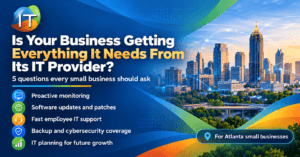
- What services are included? Ask whether monitoring, patching, helpdesk support, security tools, and cloud administration are part of the agreement.
- What are the support hours? Confirm standard availability, after-hours options, and emergency escalation procedures.
- How quickly are requests handled? Review response commitments and understand the difference between an initial response and a completed resolution.
- Is onsite support available in Atlanta? Some hardware, networking, and office infrastructure issues require a technician to visit the location.
- Who manages security and backups? Make sure the provider clearly identifies what it monitors, maintains, tests, and reports.
- How does onboarding work? Ask about documentation, system reviews, account access, and the transition from the previous support arrangement.
- What happens if we leave? Review contract terms, data ownership, administrator access, documentation, and offboarding responsibilities.
A reliable provider should explain these details in business terms and make it clear which responsibilities remain with the client.
How trueITpros Supports Atlanta Businesses With Outsourced IT
trueITpros provides proactive Managed IT Services for businesses in Atlanta that need ongoing technical support, infrastructure management, and a more organized approach to technology operations.
Rather than focusing only on individual repairs, trueITpros helps businesses manage the systems and support processes employees depend on every day.
Practical Services for Everyday Business Needs
- Helpdesk assistance: Employee support through phone, email, and web chat, with a 10-minute helpdesk response SLA.
- Infrastructure monitoring: 24/7 monitoring by a Network Operations Center to help identify technical issues.
- Endpoint management: Device oversight, software updates, and security patch maintenance.
- Cloud administration: Support for Microsoft 365, Google Workspace, and business applications.
- Network and onsite support: Assistance with office infrastructure, connectivity, and end-user technical issues.
- Technology guidance: Customer success management and Virtual CIO or CTO services for planning and operational improvements.
trueITpros also offers monthly payments and no annual contracts, giving businesses a way to plan ongoing support without committing to an annual agreement.
Standard support availability includes Monday through Friday, 6 AM to 6 PM Eastern Time, with additional availability depending on the applicable service arrangement.
A Simple Checklist: Is Your Business Ready to Outsource IT?
Use the following questions to review your current IT support setup. Each unanswered need may indicate an area worth discussing with an outsourced provider.
- Do employees know exactly where to request technical help?
- Is someone responsible for keeping all business devices updated?
- Are backups monitored and recovery procedures tested?
- Can the company support new employees without delays?
- Does someone review user access when employees leave?
- Are recurring IT problems documented and investigated?
- Does the business have a plan for replacing aging technology?
- Are IT expenses and service responsibilities clearly documented?
If several answers are no, the next step is not necessarily to sign a managed services contract. Start by documenting the gaps, identifying their business impact, and determining whether internal improvements or external support would address them more effectively.
Frequently Asked Questions About Outsourced IT Support in Atlanta
Is outsourced IT support worth it for a small business?
Outsourced IT support can be worthwhile when a small business needs regular technical assistance, security maintenance, and reliable system management but cannot justify a full internal IT team. The value depends on service coverage, cost, and operational needs.
How much does outsourced IT support cost in Atlanta?
Pricing depends on the number of users, devices, locations, support hours, security requirements, and included services. Businesses should request a detailed proposal showing monthly fees, onboarding costs, and any services billed separately.
Can outsourced IT support replace an internal IT employee?
Yes, outsourced IT can replace some or all internal technical support functions when the provider’s capabilities match the business’s needs. Companies with internal IT staff can also use co-managed services to supplement their existing team.
What is the difference between outsourced IT and managed IT services?
Outsourced IT is a broad term for technology work handled by an external provider. Managed IT services are a more structured form of outsourcing that typically includes ongoing monitoring, maintenance, helpdesk support, and proactive technology management.
Should an Atlanta business choose a local IT provider?
A local provider can be useful when a business needs onsite assistance, office network support, or in-person technology planning. However, businesses should also compare technical expertise, response commitments, service coverage, and communication quality.
Find the Right IT Support Model for Your Atlanta Business
Outsourced IT support makes sense when a business needs more dependable technical assistance, clearer security responsibilities, proactive maintenance, and better technology planning than its current arrangement provides.
For some companies, that means replacing reactive IT support with a managed service. For others, it means supporting an existing internal employee or preparing technology systems for growth.
trueITpros helps Atlanta businesses evaluate their IT needs and build a support approach around their users, infrastructure, and daily operations.
To learn more about how trueITpros can help your business with outsourced IT support in Atlanta, contact us.